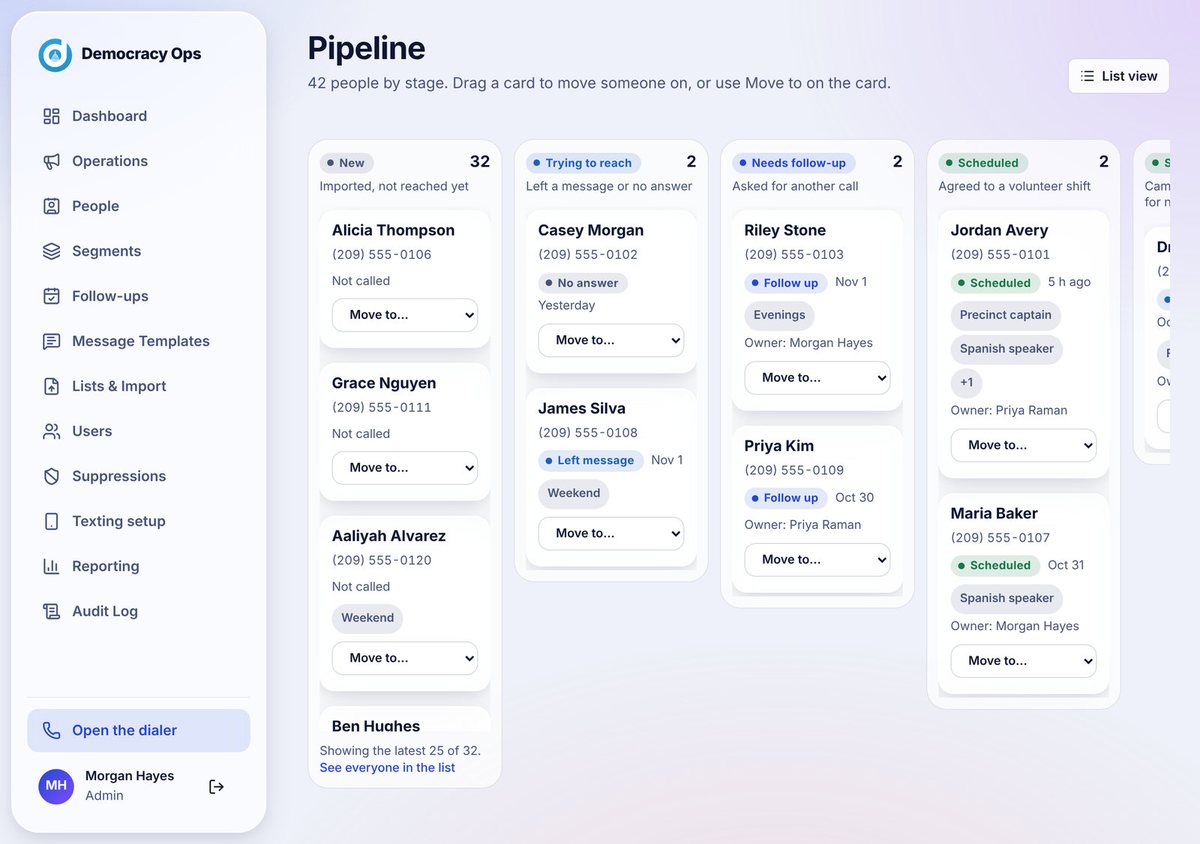
See every person, by stage
Everyone you reach lands on a board, from new to scheduled. Move people forward, assign owners, and always know who needs what next.
Phone banking for campaigns, parties and civic groups
Democracy Ops is phone banking software that gives every volunteer a guided, mobile-friendly phone bank. Invite callers with a link, keep each call on script, and see what is working while the operation runs.

Built for
How it works
No training day, no installs. Your callers open a link and start helping.
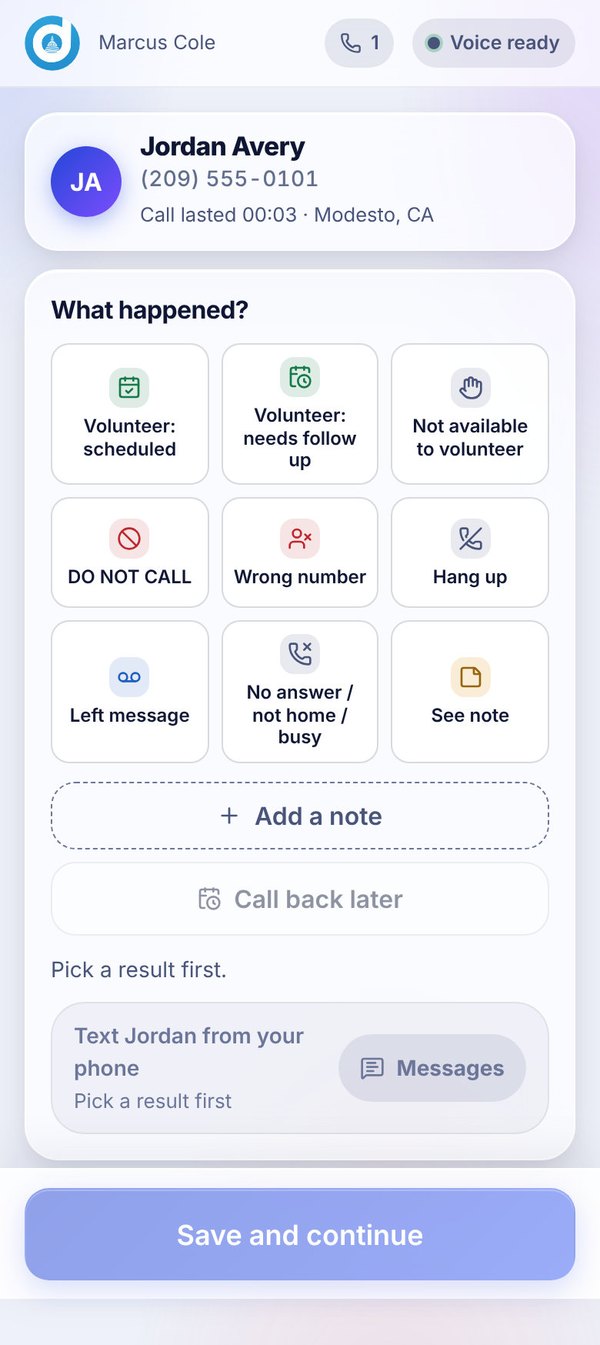
Send each volunteer a personal link, or share one link with a whole group. No passwords to forget, and you control when a link stops working.
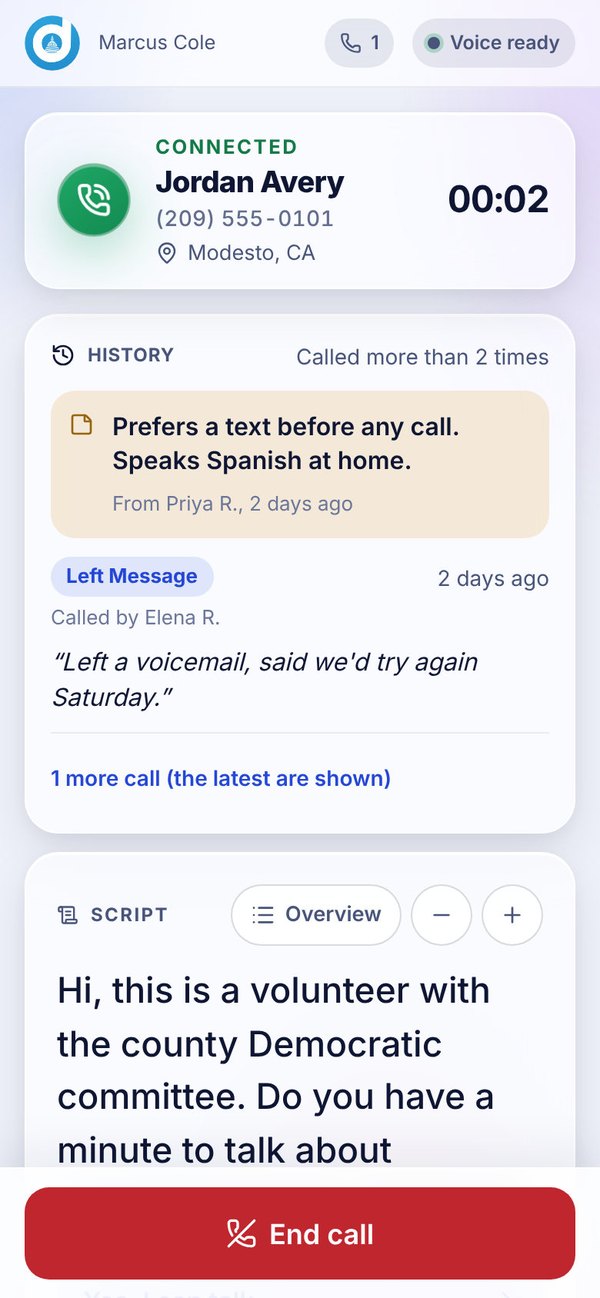
Volunteers see who they are calling, what happened before, and the words to use. A new caller can sound prepared from the first dial.
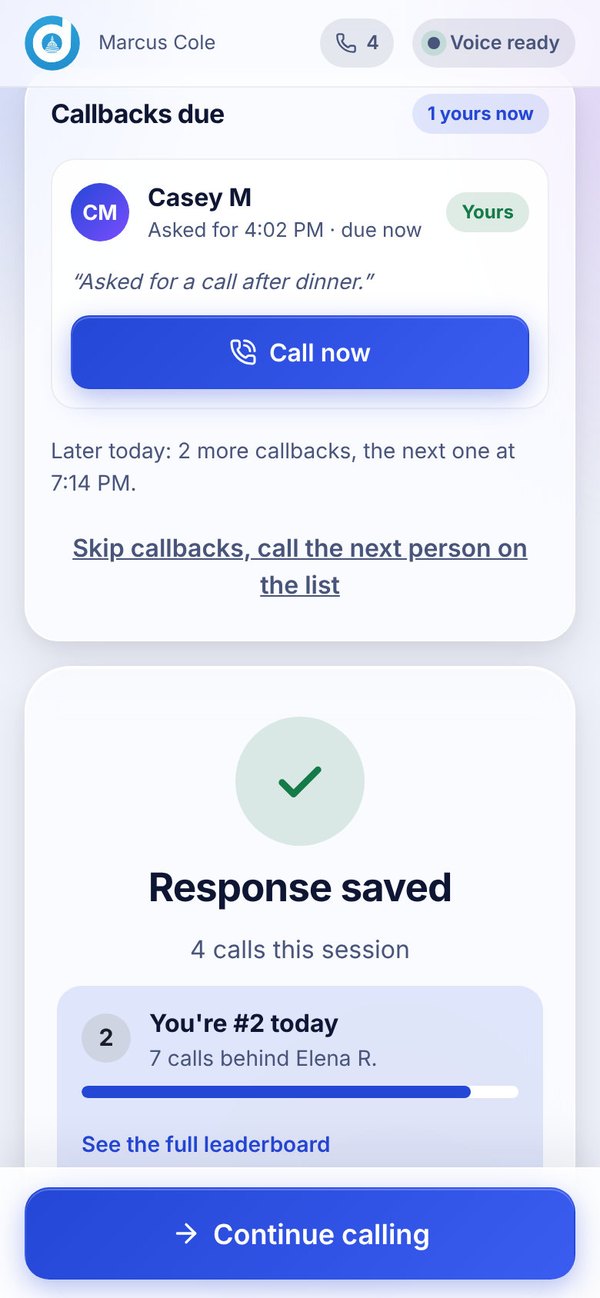
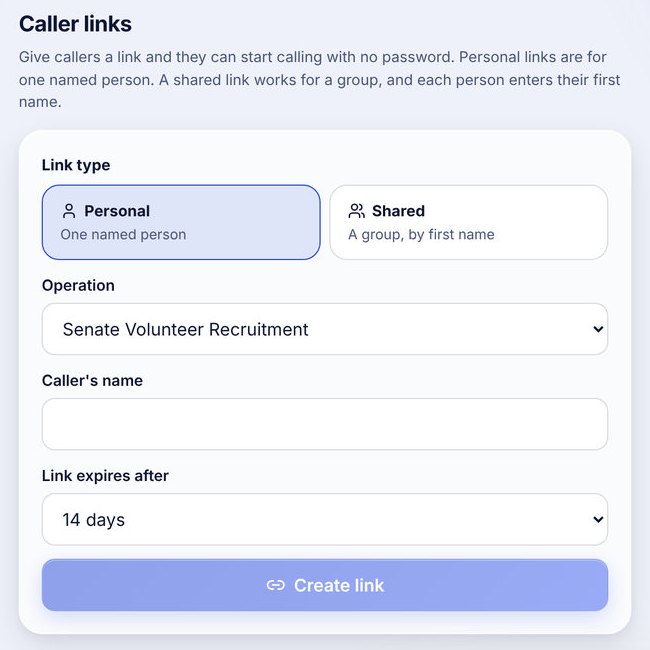
One tap records the result and any note, and the next person is ready. Everything flows into the follow-ups and reports your organizers use.
Screens shown use sample data. Names and numbers are made up.
What you get
Everyone you reach lands on a board, from new to scheduled. Move people forward, assign owners, and always know who needs what next.
Callers pick what happened and keep going. No spreadsheets, no end-of-shift cleanup.
Reporting shows your callers and results while the operation is still running, so you can adjust the same day.
IllustrationCallbacks and promises are scheduled for the right person at the right time, inside calling hours. Overdue items rise to the top.
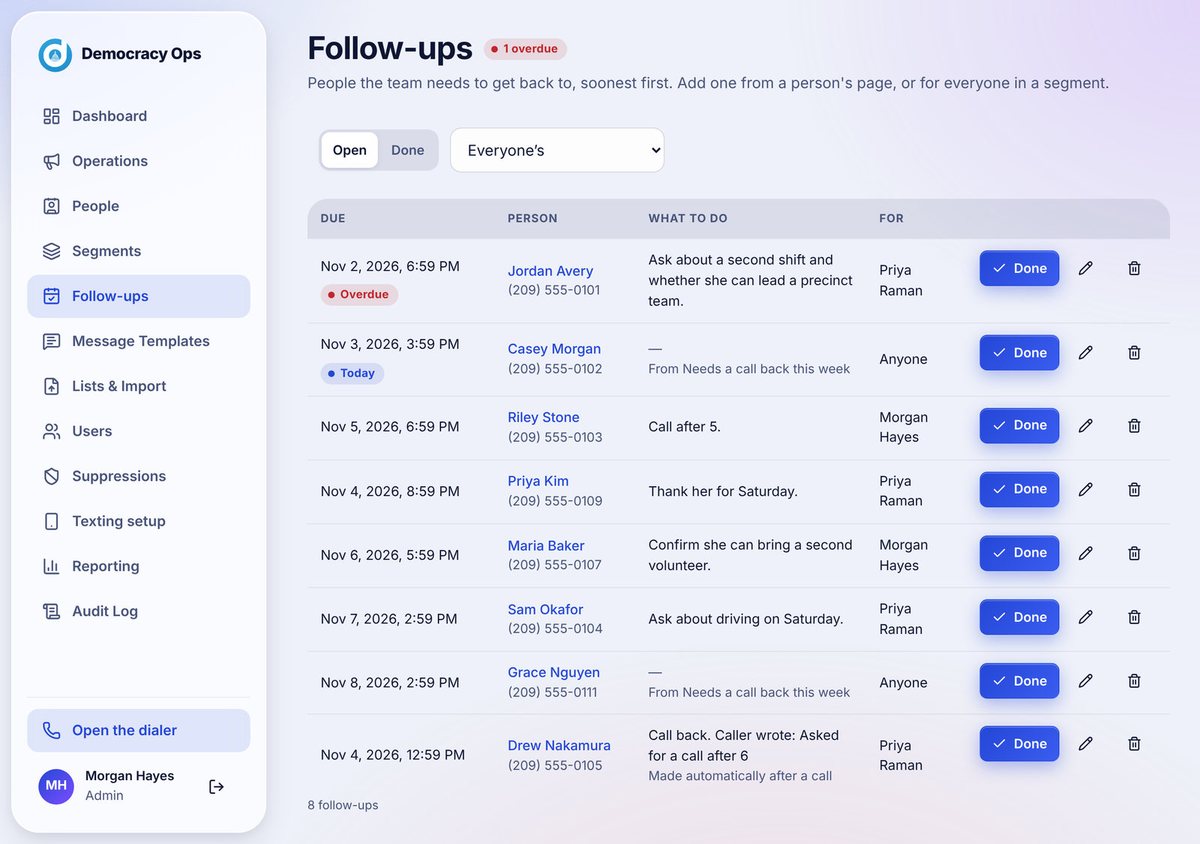
The next caller sees what was said before, so people are never asked the same thing twice.
Each organization has its own space. Call audio is never recorded, and we do not sell or share mobile numbers for marketing.
Who it is for
Turn a roster of eager volunteers into a calling program. Recruit, remind, thank and follow up, all from one place.
Support your candidates and your members with phone banks for turnout, recruitment and meetings, with a record of every conversation.
Mobilize members for hearings, ballot measures and community events with the same guided calls and the same care for consent.
Guides
Plain-language guides for the people who organize volunteer phone banks. Use them whether or not you ever use our software.
Set one goal, build a clean list, train callers in ten minutes, run the shift, record results and follow up while it is fresh.
10 minute readCopy-ready scripts for the opening, a supporter check-in, a vote reminder, an event invitation, a volunteer ask and a voicemail, plus what to say to common replies.
7 minute readOur approach
Technology should make it easier for people to talk to people, not replace them.
No auto-dialers and no prerecorded voices. Real volunteers, real conversations.
Calling hours and do-not-call requests are respected. Follow-up texts, where switched on, go only to people who said yes during the call.
Your lists and results live in your organization's own space, and we never record call audio.
FAQ
Want the full walkthrough? The Help Center covers every screen.
Phone banking software helps an organization manage the calls its volunteers make: who to call, what to say, what happened, and what to do next. Democracy Ops adds caller links, a guided script on screen, one-tap results and a record of every conversation. A person places every call.
Yes. Callers open their link in a browser on a phone or a computer, so a phone bank can run in one room or with everyone at home. New to running one? Read our guide to how to run a volunteer phone bank.
No. A person places and takes every call. Democracy Ops guides the volunteer, shows the script and the history with that person, and records what happened. There are no prerecorded voices and no robodialing.
No. Democracy Ops runs in the browser on a phone or a computer, so there is nothing to download from an app store. You send a caller a link and they can start calling.
You do. Each organization works in its own space, and call audio is never recorded. Our Privacy Policy and Terms and Conditions explain the details.
Follow-up texting is optional and is being rolled out. It is only used after a person says yes during the call, it requires carrier registration for each organization, and it is switched on per organization once that is approved. Calling works today and does not depend on it.
Yes, we can set up a space for each organization. Tell us how many you work with in the form below and we will plan it with you.
Send the form below. A real person writes back by email, helps you plan your first operation, and sets up your organization. You can also ask for a demo first.
No. A small county committee or a first-time volunteer team can use it the same way a large campaign does. Tell us how many callers you expect and we will tailor the setup.
Get started
Tell us a little about your organization. A real person will write back by email to plan your first operation with you.
It takes about a minute. Choose a demo if you would like to see it first.
We will talk through your goals, your timing and the size of your team.
Then we help you invite your first callers.
Not ready yet? Choose Just keep me posted and we will send occasional news. You can stop it at any time.
A confirmation is on its way to your email address (check your spam folder if you do not see it). A person will write back soon.
While you wait, the Help Center shows how every screen works.